Calendar is being rolled out firm by firm. If you can't see it, your firm doesn't have it yet.
Connecting your calendar
With a calendar linked, Junior shows what's coming up and offers to record it, and your phone's Calendar tab starts working too.
Connect it
- Go to Junior's home screen.
- On the Coming up card, press one of the available calendar connection buttons.
- Sign in and approve the access in the browser window that opens.
- Junior returns and starts syncing. It may say "Calendar sync is still connecting..." for a moment.
What you get
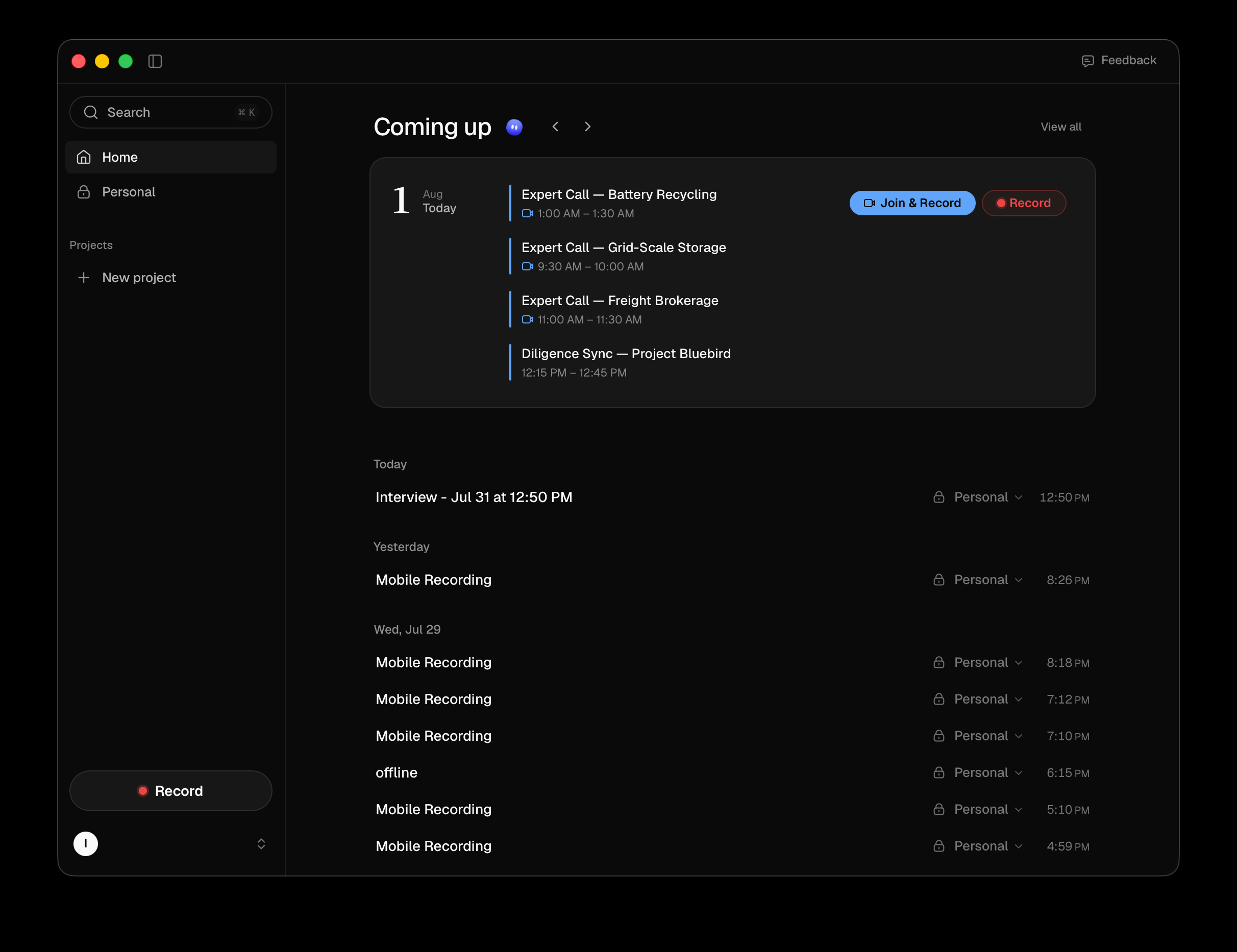
A Coming up card on the home screen listing the day's meetings, with arrows to move between days and Today to jump back. View all opens a full month view.
Each meeting carries an action, which changes with where the meeting is up to:
| Button | When it appears |
|---|---|
| Join & Record | The meeting is startable now, and has a link |
| Rec | Same, but records without opening the meeting, or the meeting is soon but not yet joinable |
| Join Call | Someone is already recording this one |
| View | It has been recorded, and this opens the call |
| Processing | It's recorded and still being worked through |
Connecting here also lights up the Calendar tab in Junior on your phone. There's no separate step on the phone, and no way to do it from there.
Questions
I have no calendar section at all.
Then your firm doesn't have the calendar turned on yet. It's being rolled out firm by firm rather than released to everyone, so there's nothing to connect and nothing wrong with your install. Junior records perfectly well without it. You start recordings yourself.
Does connecting mean Junior reads my whole calendar?
Junior reads your meetings (times, titles and attendees) so it can list them and recognize the one you're in. It doesn't read the contents of your mailbox, and it doesn't create, move or decline anything.
It says calendar sync failed.
The connection to your calendar provider broke, usually because the access expired or your firm's policy changed. Reconnect with the same Google or Outlook button. If it fails again straight away, your IT team may be blocking the connection centrally.
A meeting is missing from Coming up.
Check it's on the calendar you connected rather than a second one. Junior only sees the account you linked. Meetings you've declined don't appear either.
What's the difference between Rec and Join & Record?
Join & Record opens the meeting and starts recording. Rec starts recording without opening it, whether you're already in the call or the meeting isn't joinable yet, in which case it just files the recording against it. Both produce the same kind of call.