Open the Notes tab in the recording window and start typing. Junior tells you the two things worth knowing: "Type / for commands" and "Markdown shortcuts work too".
Formatting
Press / for a menu:
| Command | What it inserts |
|---|---|
| Bold, Italic | Emphasis. Also ⌘+B / Ctrl+B and ⌘+I / Ctrl+I |
| Heading 1, Heading 2, Heading 3 | Section titles |
| Bulleted list, Numbered list | Lists |
| Checklist | For action items |
| Quote | A pull-out quote |
| Divider | A section break |
| Image | Insert a screenshot |
Markdown works directly too: ## for a heading, - for a bullet, > for a
quote.
Images
Paste, drag in, or use the Image command. Up to 10 MB each, in PNG, JPEG, GIF or WebP. SVG isn't accepted.
Notes from the floating pill
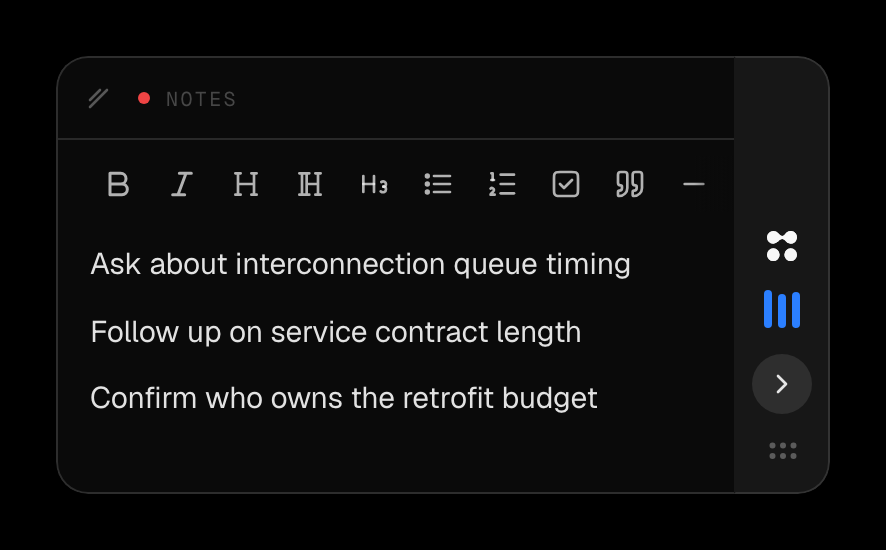
Click the floating pill during a call to open a compact notes card and type without leaving your meeting window. It's the same notes, so anything you write appears in both. Images can't be inserted from the card, only from the main window.
Questions
Are my notes safe if my connection drops?
Yes. Notes are written to your computer first and synced afterwards, so losing connection mid-call doesn't lose what you've typed. It only delays it reaching Junior. If you see "Couldn't save notes. Check your connection and try again.", your typing is still on the machine and will go up when you reconnect.
Do my notes get mixed into the summary?
No. Notes stay yours and stay separate. They appear on their own Notes tab on the finished call, next to the summary and transcript rather than blended into them. Nothing you write is rewritten.
Can I add notes after the call has finished?
Yes. The Notes tab stays editable on the finished call, so you can write up afterwards as well as during. What you can't do is write notes on your phone: the phone app shows notes but doesn't create them.
My screenshot wouldn't paste.
Two likely reasons, and Junior names both: it's over 10 MB, or it isn't one of PNG, JPEG, GIF or WebP. SVG is the common surprise. Take the screenshot again as a PNG, or crop it down.
Why take notes at all when Junior is transcribing?
Because the transcript records what was said and your notes record what it meant. The judgement (this contradicts what the last expert told us, this is the number to chase) is the part no transcript produces, and it's the part you won't reconstruct a week later.