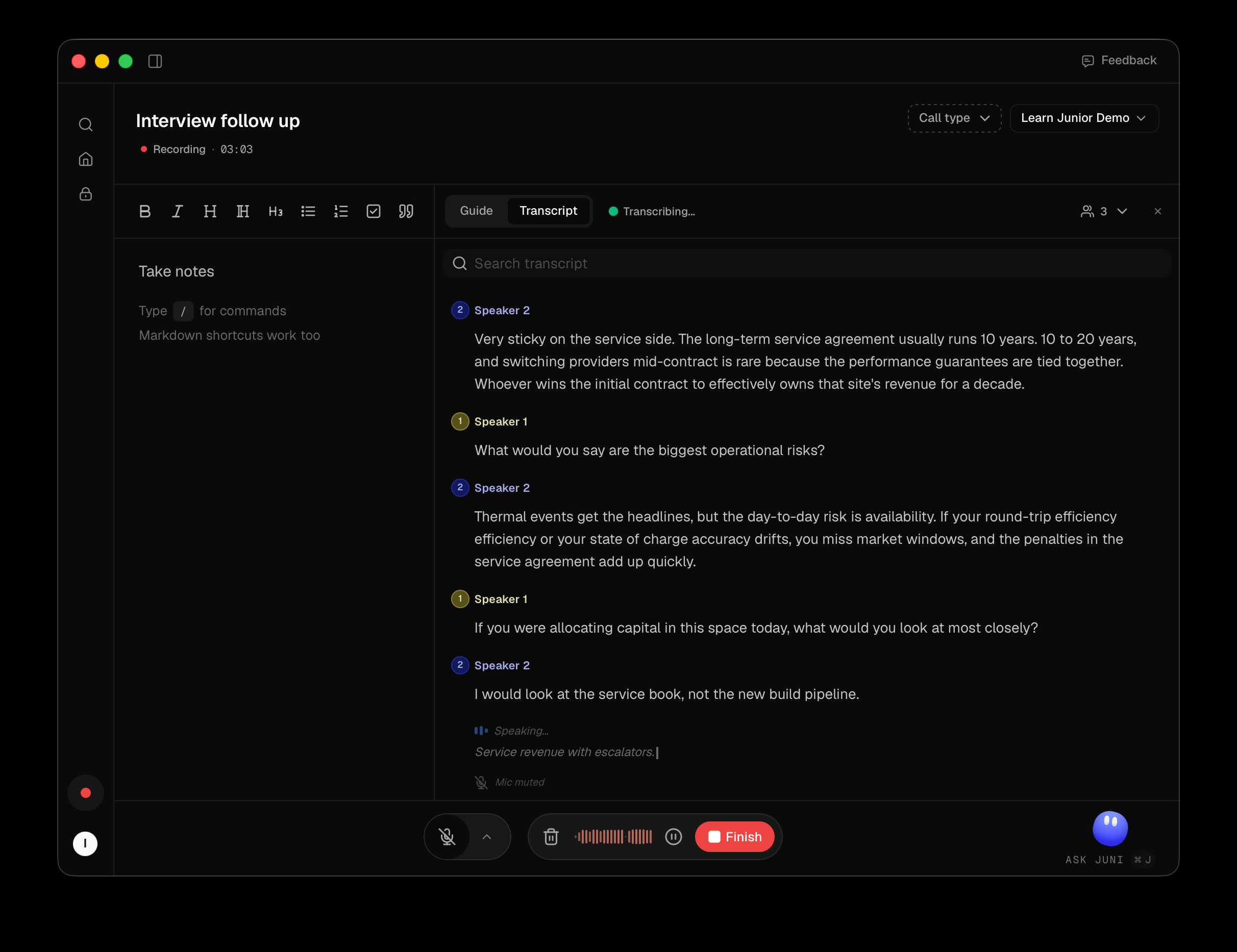
Everything you need mid-call is in the recording window. There's no set-up dialog before a recording. Audio sources and the project are all changeable while it runs. If your organisation requires a watermark and Junior can't show it, recording does not start.
Discard, pause and finish
| Control | What it does |
|---|---|
| Discard | Throws the recording away. Asks first |
| Pause / Resume | Stops and restarts capture without ending the recording |
| Finish | Ends the recording and starts processing it |
Audio, project and call type
| Control | What it does |
|---|---|
| Microphone toggle | Whether your voice is captured. ⌘⇧M / Ctrl+Shift+M |
| System Audio toggle | Whether everyone else is captured. ⌘⇧A / Ctrl+Shift+A |
| Microphone chevron | Pick a different input device mid-call |
| Project selector | Which project the call is filed into. Personal if you leave it |
| Call type | Meeting or Interview. Changes what Junior produces |
| Name field | Reads Name this recording until you type something |
The side panel
Tabs down the right, each appearing only when it has something to show: Transcript for the live transcript, Notes for your own notes, and Guide for an interview guide if the project has one.
The circular button in the corner is Juni. Press it or ⌘+J / Ctrl+J to ask questions about
the call while it's happening.
The floating pill
A small pill floats above your other windows while you record, so you can see Junior is running without switching to it. Icon-only: animated bars while recording, amber while paused, a pulsing dot while finishing. Click it to open a notes card and type without leaving your call.
The floating pill is excluded from screen shares, screen recordings and screenshots on both macOS and Windows. It's visible to you and invisible to everyone you're presenting to, and it won't appear in a screenshot you take of it either.