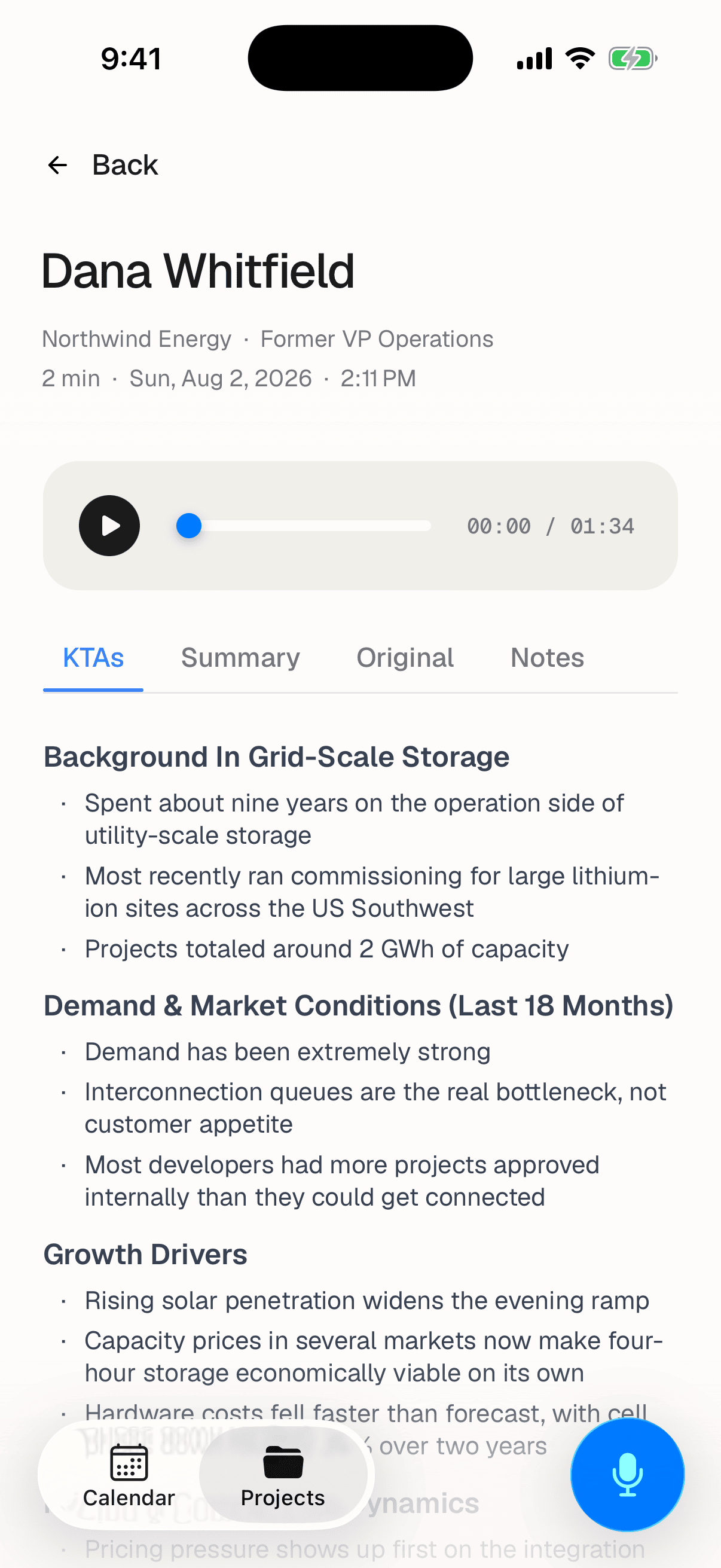
Open any completed call from a project or from the Most recent list. It arrives on tabs:
| Tab | What's in it |
|---|---|
| KTAs | Key takeaways: the shortest useful version of the call. Opens here by default |
| Summary | A longer prose account |
| Original | The full transcript, as spoken |
| Notes | Any notes written against the call |
A tab you don't see has nothing in it. Junior hides empty tabs rather than showing you a blank one, so which tabs appear varies from call to call.
Playing the audio
Every call has a player: a play button, a progress bar you can drag, and the elapsed and total time. There's no speed control on the phone. For faster playback, open the call in Junior on your computer.
Questions
Why does my call only have some of these tabs?
Because a tab with nothing in it's hidden. A call with no notes has no Notes tab, and a call still being processed has fewer tabs than it'll have in a few minutes. It isn't an error, and nothing has been lost.
The call says it's still processing.
Junior is working through it and tells you which stage it's on: transcribing, cleaning the transcript, generating takeaways. The content appears on its own when each stage finishes; you don't need to refresh or reopen anything.
It says No content yet.
Processing finished but produced nothing for that tab. The usual cause is that there was little to work with: a mostly silent recording, or one where the microphone was covered. Check the Original tab: if the transcript is empty or nearly empty, the audio is the problem rather than the processing.
Can I correct the transcript or rename a speaker here?
No. The phone app is read-only for finished calls. Editing transcripts, fixing speaker names and correcting a call's details all happen in Junior on your computer or on the web.
Why does the transcript read shorter than the call felt?
Because it has been cleaned: filler, repetition and interruptions stripped out, and the conversation reorganised so it reads like notes rather than dictation. Losing length isn't losing substance. See live transcript versus the final transcript.